In this way you can add the copyright to your newly created java files automatically in eclipse.
Go to preferences -> Java -> Code Style -> Code Templates, expands Code and select “New Java Files”, edit the template to add whatever copyright messages you want.
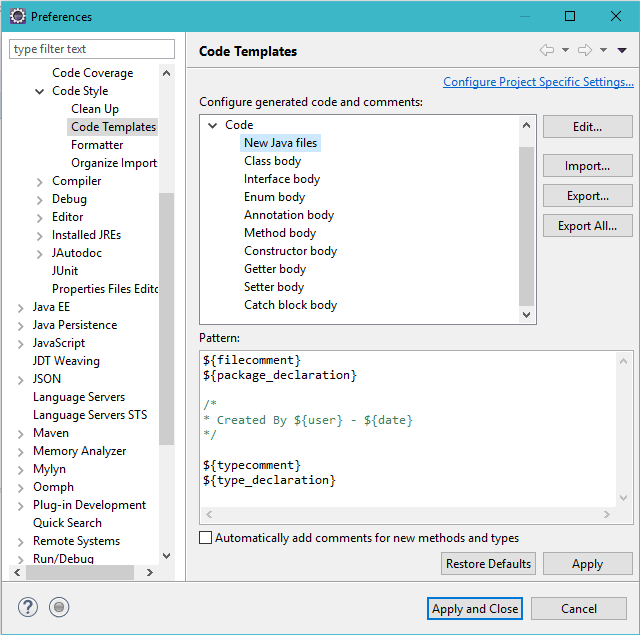
After you complete above step, you will see your newly created java classes as below,
package lk.pwc.ird.automation.exceltoxml;

/*
* Created By idewasuren001 - Nov 21, 2018
*/

public class Test{

}
 Java Source Point